
Best Accountant Computer Course in Aligarh
Learning Microsoft Office is particularly important for an accounts job for several reasons:
- Job Readiness: Many employers require proficiency in Microsoft Office applications like Word, Excel, and as part of their hiring criteria.
- Excel Proficiency: Excel is essential for managing financial data, creating budgets, and performing calculations. Skills like using formulas, pivot tables, and data analysis tools are crucial for accountants.
- Word for Reporting: Microsoft Word is commonly used to create financial reports, proposals, and documentation. Knowing how to format and present information clearly is vital.
- Data Management: Learning to manage and manipulate data in Excel is crucial for tasks like reconciliations, financial forecasting, and analysis.
- Efficiency: Mastering these tools can significantly enhance productivity. For example, Excel can help with data analysis, while Word streamlines document creation.
- Collaboration: Microsoft Office supports collaboration features, making it easier to work with teams on projects, share documents, and track changes.
- Versatility: The skills learned in Microsoft Office can be applied across various industries and job roles, making them valuable in almost any career path.
- Organization: Tools like Outlook help with email management and scheduling, improving overall organization in both personal and professional contexts.
- Problem Solving: Learning Excel, in particular, can enhance analytical skills and enable you to tackle complex data-driven problems.
Overall, proficiency in Microsoft Office equips you with the tools necessary for accuracy, efficiency, and effective communication in an accounting role.

Learning Tally Prime can be incredibly beneficial for an accounts job. Here are some key areas you should focus on:
- Basic Navigation: Familiarize yourself with the interface and navigation to efficiently move through different sections.
- Creating Company Profiles: Learn how to create a new company profile, including entering company details and financial settings.
- Chart of Accounts: Understand how to create and manage ledgers, groups, and the chart of accounts to categorize transactions.
- Recording Transactions: Get comfortable entering various transactions like sales, purchases, receipts, and payments. Understand journal entries as well.
- Inventory Management: Learn to manage stock, including creating stock items, recording inventory transactions, and understanding stock valuation methods
- GST Knowledge: Familiarize yourself with handling goods and services tax (GST) in Tally, including filing returns.
- Financial Reports: Learn to generate key financial statements like profit and loss accounts, balance sheets, and cash flow statements.
- Bank Reconciliation: Understand how to perform bank reconciliation in Tally to ensure your books match bank statements.
- Payroll Management: If applicable, learn how to manage employee payroll, including salaries, deductions, and compliance.
- Data Backup and Security: Learn the importance of data backup, security features, and how to restore data when needed.
- Customization and Integration: Explore how to customize reports and integrate Tally with other software if required.
- Troubleshooting Common Issues: Familiarize yourself with common errors and their solutions in Tally.
Getting hands-on experience through practice and exploring tutorials or courses can further enhance your skills in Tally Prime.
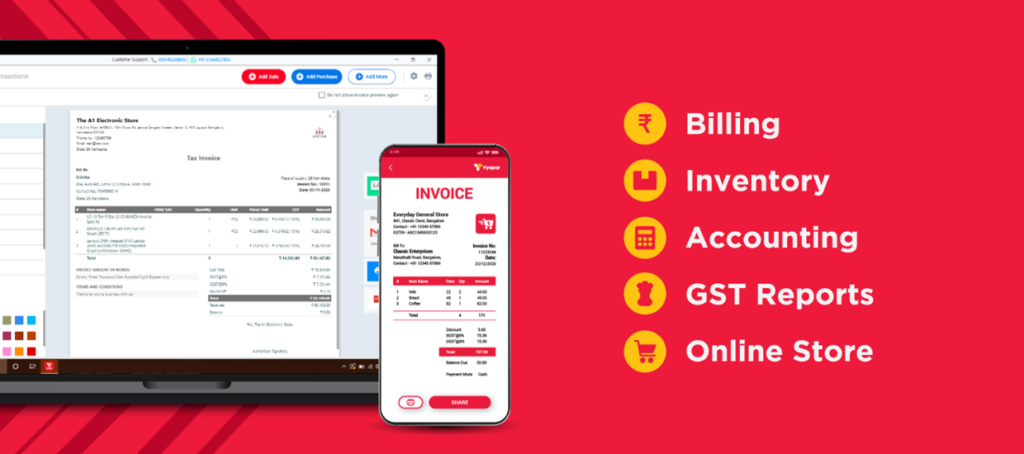
Learning Vyapar software is important for accounts jobs for several reasons:
- Streamlined Accounting: Vyapar automates various accounting tasks, making it easier to manage finances, track expenses, and generate reports without extensive manual work.
- Real-Time Data: It provides real-time insights into financial health, helping you make informed decisions based on up-to-date information.
- Inventory Management: For businesses that deal with inventory, Vyapar helps in tracking stock levels, sales, and purchases, which is crucial for accurate accounting.
- Invoicing and Billing: The software simplifies creating and sending invoices, managing payments, and keeping track of receivables, which is vital for cash flow management.
- User-Friendly Interface: Vyapar is designed to be accessible, allowing users to navigate easily without needing extensive accounting knowledge.
- Compliance and Tax Management: It helps ensure compliance with accounting standards and tax regulations, making it easier to file returns accurately.
- Data Security: Vyapar offers secure data storage, protecting sensitive financial information from unauthorized access.
- Cost-Effective: It is often more affordable than traditional accounting software, making it a good option for small businesses.
Overall, proficiency in Vyapar software enhances efficiency, accuracy, and productivity in accounting roles, making it a valuable tool in the profession.